The joys of DropBox. How did I live without DropBox? Simply the most elegant of all the software tools that I use on a regular basis. A daily basis. It is not intrusive. It just sites there. Minding its own business. Looking after my files.
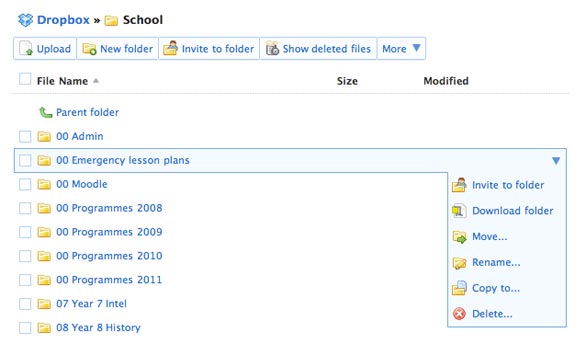
DropBox provides a backup for the files I access and work with regularly during the day, during the week and during the year. How does it work?
Essentially, if I make a change to a file within the DropBox folder on my computer at home it will update the backup of that same file hosted on my online DropBox account. Then, when I work at school the same file within the DropBox folder on the computer I use at work will also be updated. The same process happens in reverse of course. Even if I do not have my own computer at hand I can still access those same files via any web browser.
Make a change to a folder or file at home the change will be reflected at work. Make a change to a folder or file at work the change will be reflected at home.
I no longer take a laptop to and from work each day.
Now not wishing to sound like a late night advertiser on TV there is still more. I can access the same files on my iPhone and iPad via DropBox. I can also access those files on the iPad using applications such as GoodReader.
When one opens an account with DropBox you are provided with 2 gigabytes of free storage. That was more than enough for the documents, images and the small video files that I use during the year at school and when I conduct workshops. With respect to larger video files and similar I still use thumb drives or external hard drives to shift them from one computer to another.
I presently have 4.5 gigabytes of free online storage with DropBox. Each time I refer a new user to DropBox and they sign up they receive an additional 250 megabytes of free space and so do I. Neat, eh? You can purchase additional space yet I have personally have not had the need to do so as yet.
My friend Siva wrote an excellent piece on DropBox the other day.
Open a DropBox account with bonus space






Jan 04, 2011 @ 08:35:58
But wait there’s still more…
I have my 1Password keychain in Dropbox as well so not only do I have my files but I have the passwords I use to access my web services as well.
Magic
Jan 04, 2011 @ 21:37:30
Hi Allanah,
Thank you for the comment. Yes, DropBox is impressive and magic. That is neat use of DropBox. There are a number of great possibilities with DropBox and some of them are documented here at the DropBox wiki. I have added your blog to my Google Reader Educators list as well Allanah. Cheers, John.
Jan 10, 2011 @ 10:11:58
Thank you
It is always good to make new connections with people.
We have friends in common.